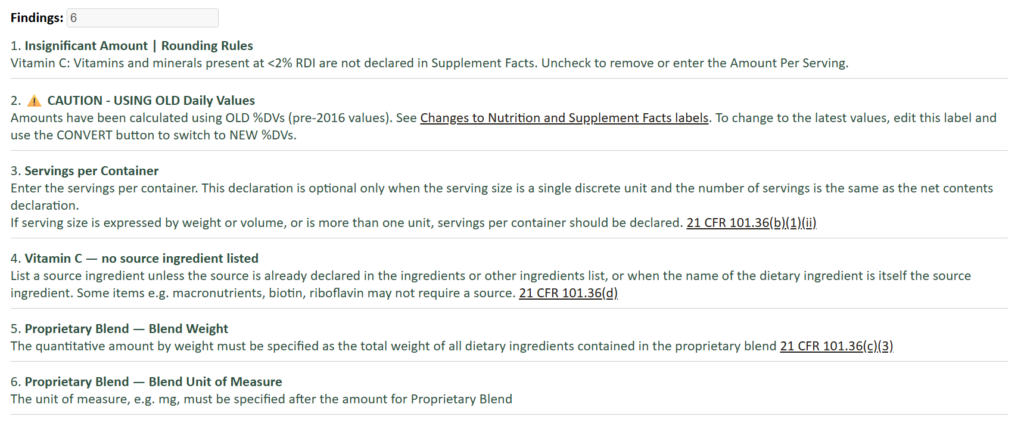
We’ve just released a major upgrade to the label checker in the application — the intelligent Supplement Facts Review Report.
Label compliance is not just about formatting — it’s about relationships between nutrients, correct declarations, and consistency across the entire panel.
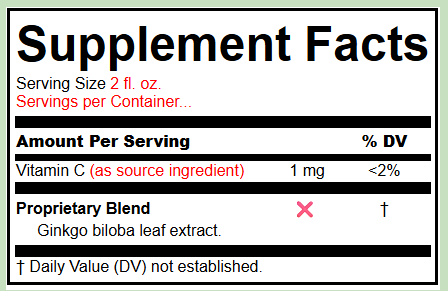
Supplement Facts panel showing errors marked in red. Can you spot what they are? (see end of this post for answers!)
This new review report is designed to give you a clear, structured, and actionable review of your Supplement Facts panel, without requiring you to interpret scattered warnings or guess what needs fixing.
What’s New?
1. Clear, Consolidated Findings Count
All findings are now presented as a single total — combining both system-level checks and visual/layout checks — so you immediately know whether your label needs attention.
2. Structured, Readable Output
Issues are grouped and presented in plain language, making it easy to understand:
- what the issue is
- why it matters
- what needs to be corrected
4. Expanded Validation Logic
The report now includes deeper checks across key regulatory relationships, including:
- Nutrient hierarchy relationships (e.g., fiber, sugars, carbohydrates)
- Proprietary blend structure and formatting
- % Daily Value logic and thresholds
- Serving size and declaration consistency
- Rounding rules and suggestions from FDA guidance
5. Practical Regulatory Guidance
Where relevant, the report includes short guidance notes tied to regulatory expectations (e.g., 21 CFR 101.36), helping you understand not just what is wrong, but why it matters.
Designed for Real-World Use
This feature was built based on actual label review workflows — the same types of checks performed during professional regulatory reviews.
It is intended to support your process, not replace expert judgment.
- Catch issues earlier
- Reduce back-and-forth corrections
- Produce cleaner, more compliant labels faster
Try It
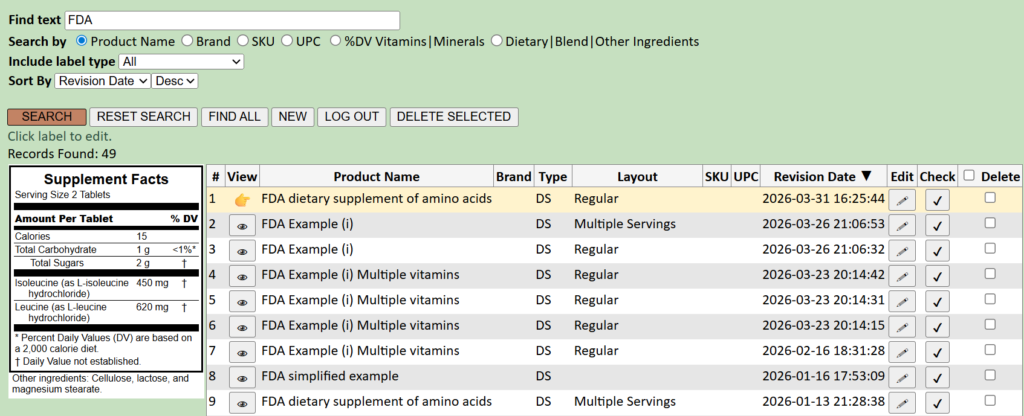
Search for the label to be checked. Right now, the checker is only available for Supplement Facts panels. Press ☑ in the Check column to run the review report for your chosen label.
Your report is displayed in a printable format in a separate window or tab. Errors are marked on a preview of the label where possible, with a numbered list of the issues found. Click on the label to make any needed edits.
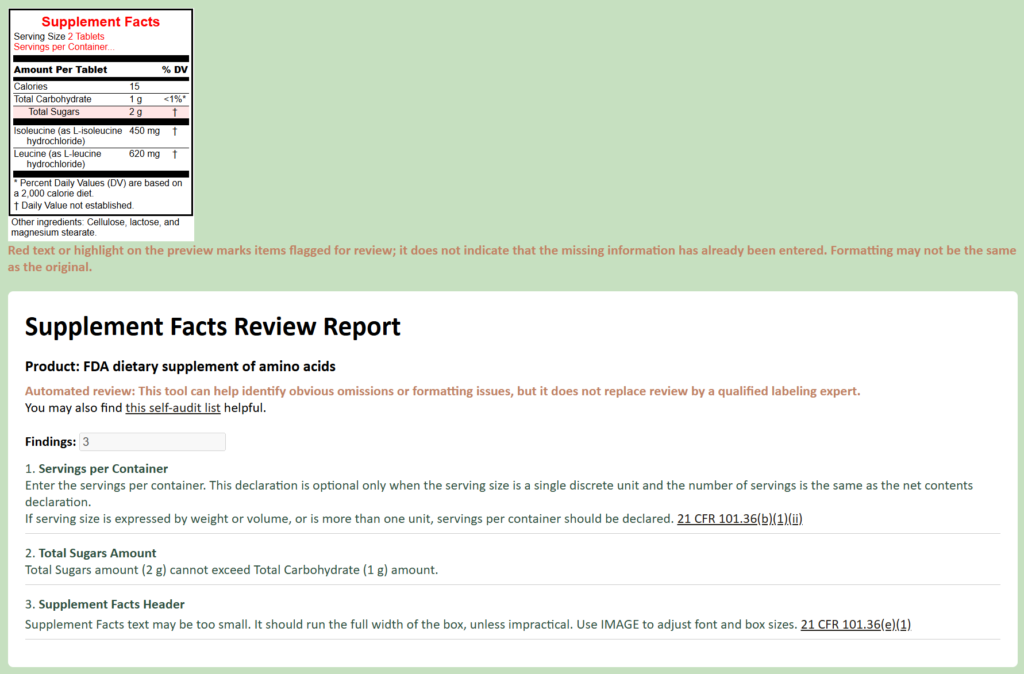
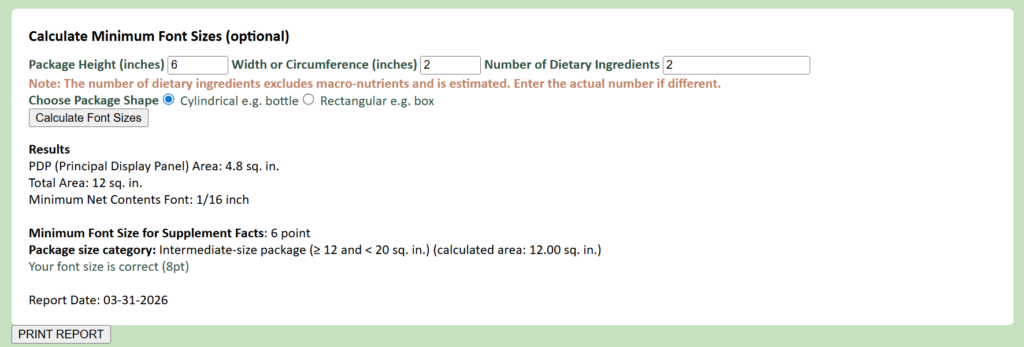
Optionally, enter the package details to determine correct font sizes for Net Contents declaration, and Supplement Facts panel minimum text size, and print the report.
Quiz answers…