The Bilingual Supplement Facts layout allows you to create a Supplement Facts panel with information displayed in English and a second language.
The application creates the standard English text used in the Supplement Facts panel. You enter the translated text needed for the second language. There are quite a few steps to ensure that all required information is duplicated in the second language.
FDA regulations require mandatory label information to appear in English. If a label includes a foreign language, all required label information must also appear in that language. See 21 CFR 101.15(c).
Select the Bilingual Layout
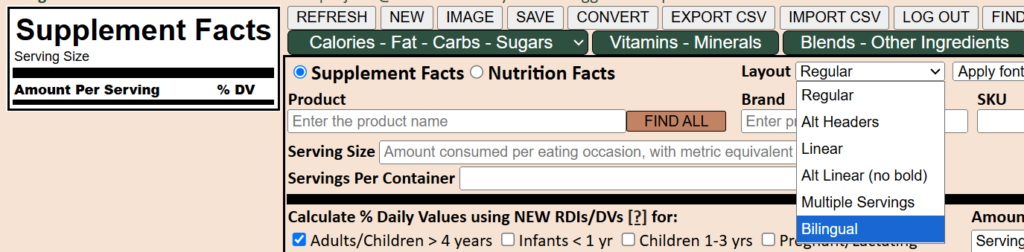
Create or open a Supplement Facts panel and select Bilingual as the layout.

The bilingual label option fields will appear. Follow the in-field prompts to enter the bilingual header text for Supplement Facts, Serving Size etc.

Enter bilingual text for the actual serving size, the amount per serving header, and equivalent names for each nutrient included in the panel. The form provides a space for each translated term that is required.

Manually enter bilingual names for blends, dietary ingredients and other ingredients. Include plant parts and extract information where needed.

Duplicate the required English footnotes in the second language, along with any linking symbols, and Add to Footnote.
Translated ingredient names and footnotes are saved for reuse, so they don’t need to be re-entered each time you create a bilingual panel.
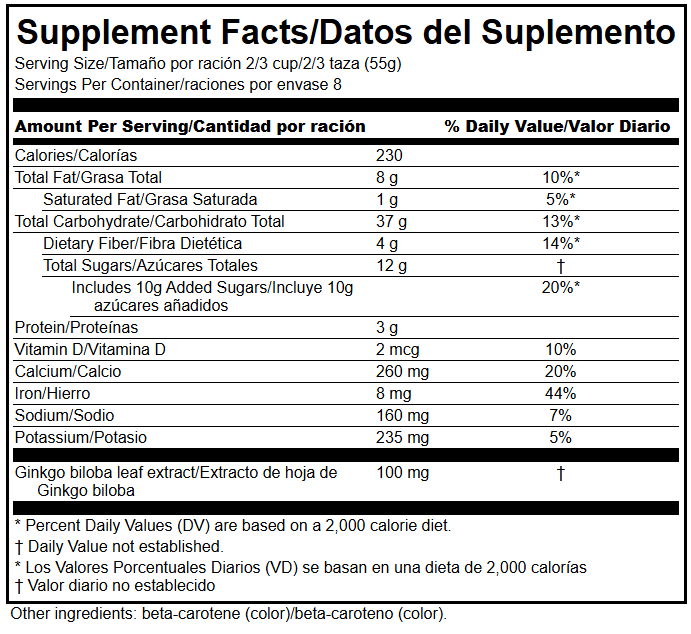
Review the Finished Panel
Always review both the English and translated text in the finished panel, including headings, serving information, ingredient names and footnotes.
The app does not translate your product information. You are responsible for the completeness, accuracy, and suitability of translations entered into the panel.
Bilingual Nutrition Facts
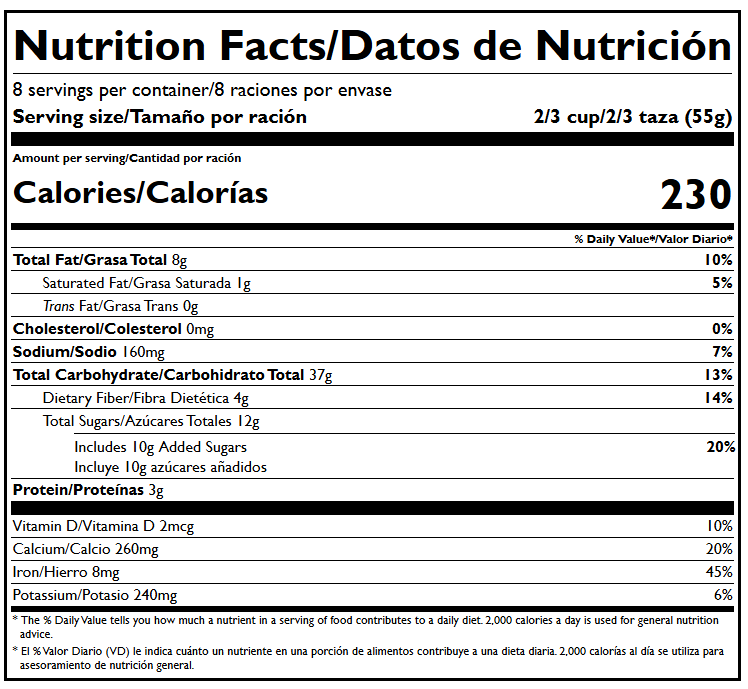
Create bilingual Nutrition Facts panels in a similar way. Create a new Nutrition Facts panel. Choose bilingual from the Layout dropdown. Enter bilingual headers and translated names for nutrients and ingredients. Enter appropriate Nutrition Facts footnotes in the second language, with symbol links as needed.

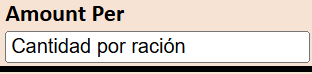
One small difference from Bilingual Supplement Facts: for Nutrition Facts, enter only the translated serving information in the Amount Per field. Do not translate the term “Serving” there, because LabelFacts uses it consistently when generating Nutrition Facts panels.
If you have any requests or suggestions for bilingual formats, please let us know.