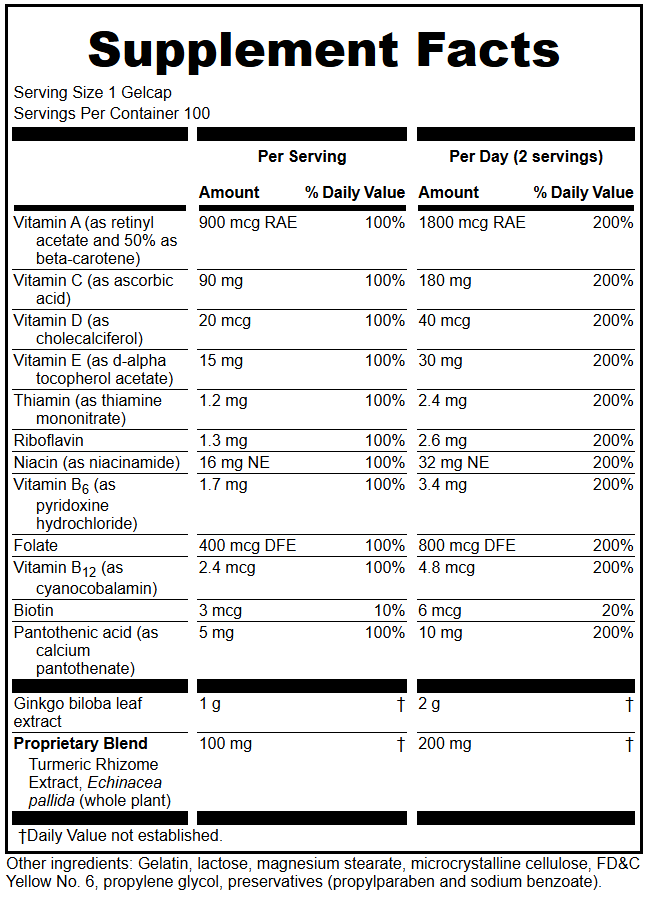
The Multiple Servings Supplement Facts layout allows you to display both Per Serving and Per Day amounts in the same Supplement Facts panel.
This can be useful when the suggested use calls for a product to be consumed more than once per day. The serving size remains the amount consumed per eating occasion, while the additional column shows the total amount consumed per day.
FDA provides an example of a Supplement Facts panel displaying both per serving and per day information. FDA also considers the listing of per-day information optional, but when it is provided, it must be presented in accordance with 21 CFR 101.36(e)(9)(ii).
The app calculates Per Day values for you when you enter the total number of servings per day. You enter only the Per Serving amounts and the number of servings per day.
You can quickly convert an existing panel to this format by choosing Multiple Servings from the Layout dropdown and entering the number of servings per day.
The feature also works for proprietary blends and dietary ingredients.
Creating the Panel
Select Multiple Servings as the Supplement Facts layout. Enter the number of servings Per Day: 2 servings (the default) is used in the example below.

The screen displays two sets of columns in the Multiple Servings format. % Daily Values and Amounts are scaled up using the number you enter. The Serving Size remains one serving as entered.
- Per Serving — the amount and % Daily Value for one serving, as in regular format
- Per Day — the amount and % Daily Value based on the total number of servings consumed per day
The Per Day amounts and % Daily Values should reflect the suggested daily use of the product. Rounding rules may mean that the numbers are not always exact multiples, especially for macro nutrients like fats and carbohydrates.
Example
For a product with a serving size of 1 Gelcap that is intended to be taken three times daily, the panel can display:
Per Gelcap — amounts and % Daily Values for 1 Gelcap
Per Day (3 Gelcaps) — amounts and % Daily Values calculated for 3 Gelcaps. Enter 3 in the Multiple Servings number field.
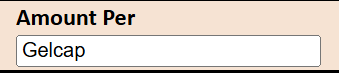
To override the default “Per Serving” header, enter the dosage form in the “Amount Per” field (in this case “Gelcap”) and the title is automatically adjusted. In some cases (such as non-unit serving sizes) this will not give the desired behavior, use caution and check your result.
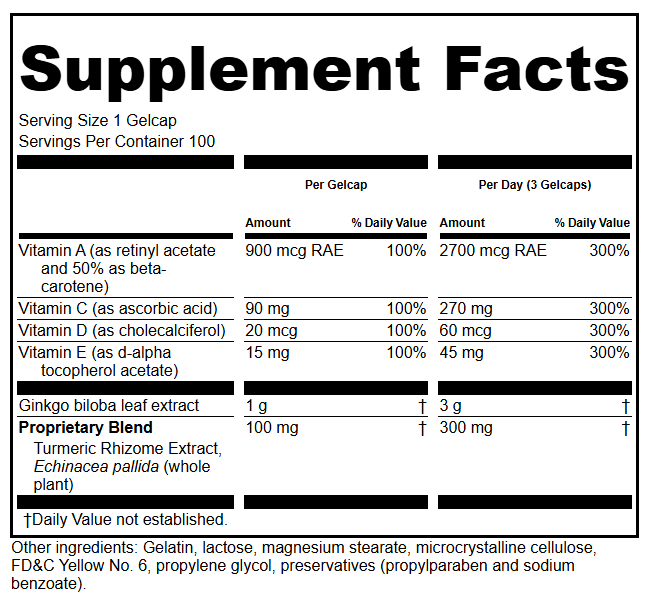
The new Multiple Servings layout is designed specifically for displaying Per Serving and Per Day information.
Always review the complete label to confirm that the serving size, suggested use, Per Day amounts, and % Daily Values are consistent.