We’ve been working on a number of improvements, and they’re now available to try in the Beta.
The Beta lets us make the new features available without requiring everyone to move to the new version immediately.
Try the Beta — or Switch Back
You can switch between the current version and the beta program at any time. Both versions use the same saved data, so panels you create or edit are available from either version. New features are available in beta only.*
Hint: The Beta has a pale peach background, so you can tell at a glance which version you’re using.
If you run into a problem, simply switch back to the current version and continue working.*
* Some features are not backwards-compatible, such as the new layout formats and default font choices.
What’s New?
Improved Smart Review — Built with AI
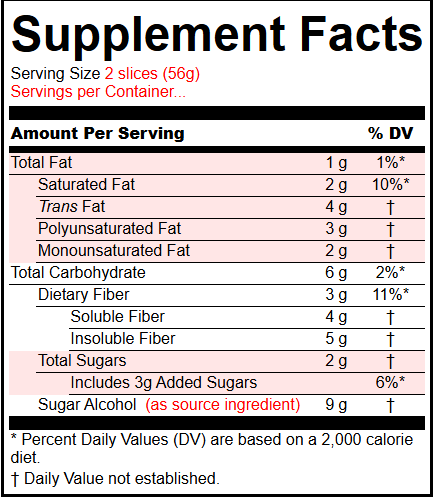
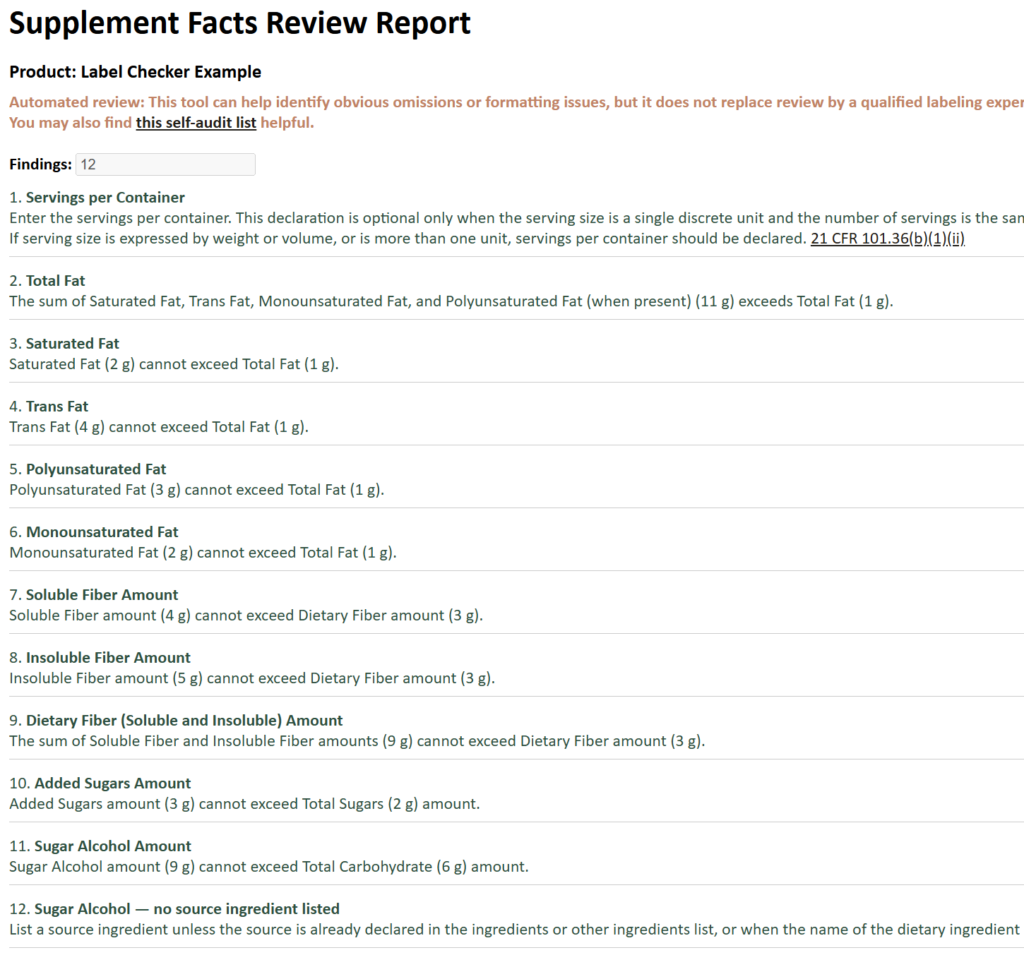
Smart Review works with both Supplement Facts and Nutrition Facts panels.
It reviews panels for potential problems and inconsistencies and provides more context than simple validation checks. Smart Review results are now also displayed for the highlighted row when you search for or save panels. Links to the relevant regulations are provided.
Access the review report from the Search page after saving your label. More about Smart Reviews.

Bilingual Labels
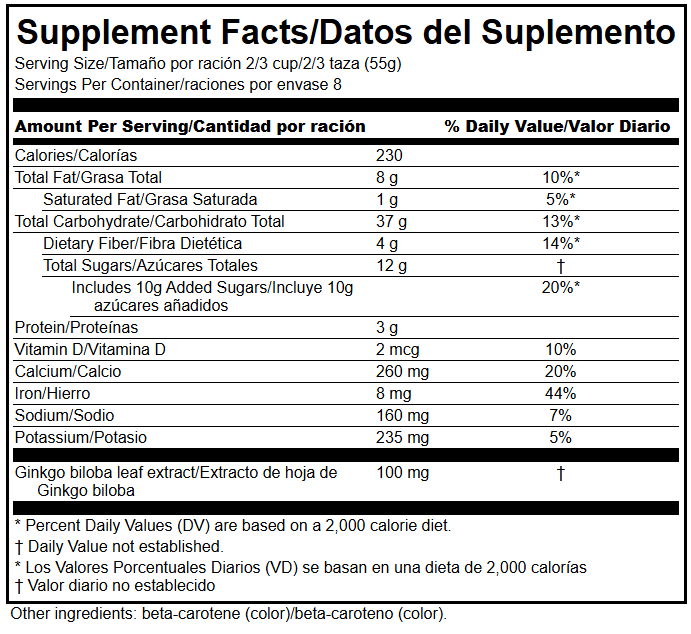
The application now supports bilingual Supplement Facts and Nutrition Facts panels. Enter your translated serving information, ingredient names, footnotes, and other required text, and display the English and translated information together. Translated ingredient names and footnotes are saved for reuse, making subsequent bilingual panels quicker to create.
More Supplement Facts Formats
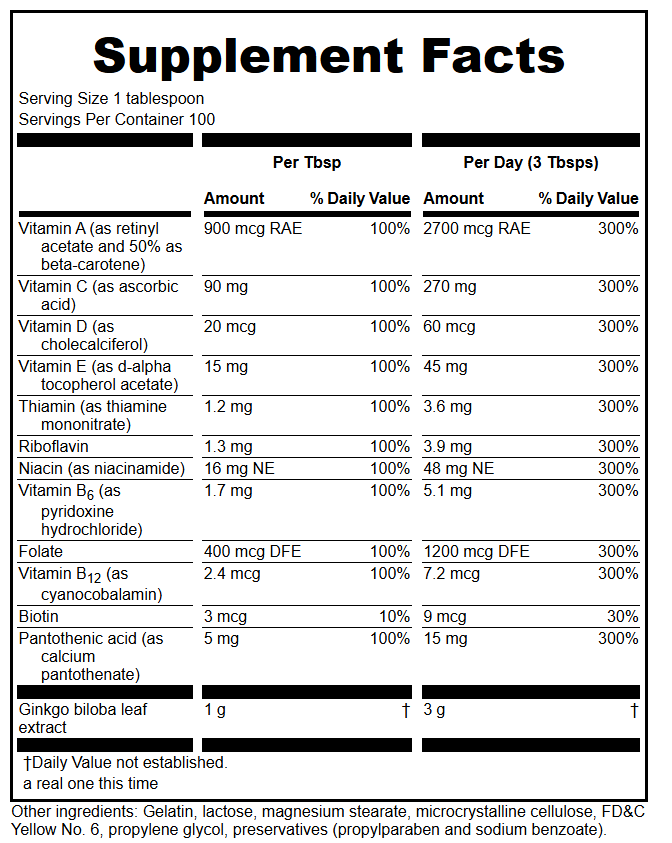
We’ve added:
- Multiple Servings (Per Serving and Per Day amounts, illustrated below)
- Bilingual support
Extra Nutrition Facts Formats
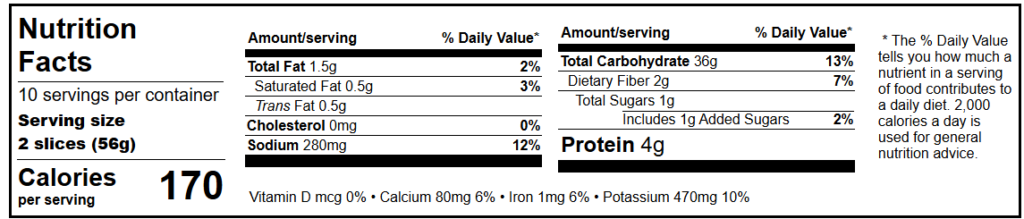
Now supports additional NF formats including (in bold)
- Regular
- Simplified
- Side-By-Side Vitamins
- Linear
- Small Linear < 12 sq. in.
- Tabular (illustrated below)
- Small Tabular
- Bilingual
Custom Defaults for Each Panel Layout
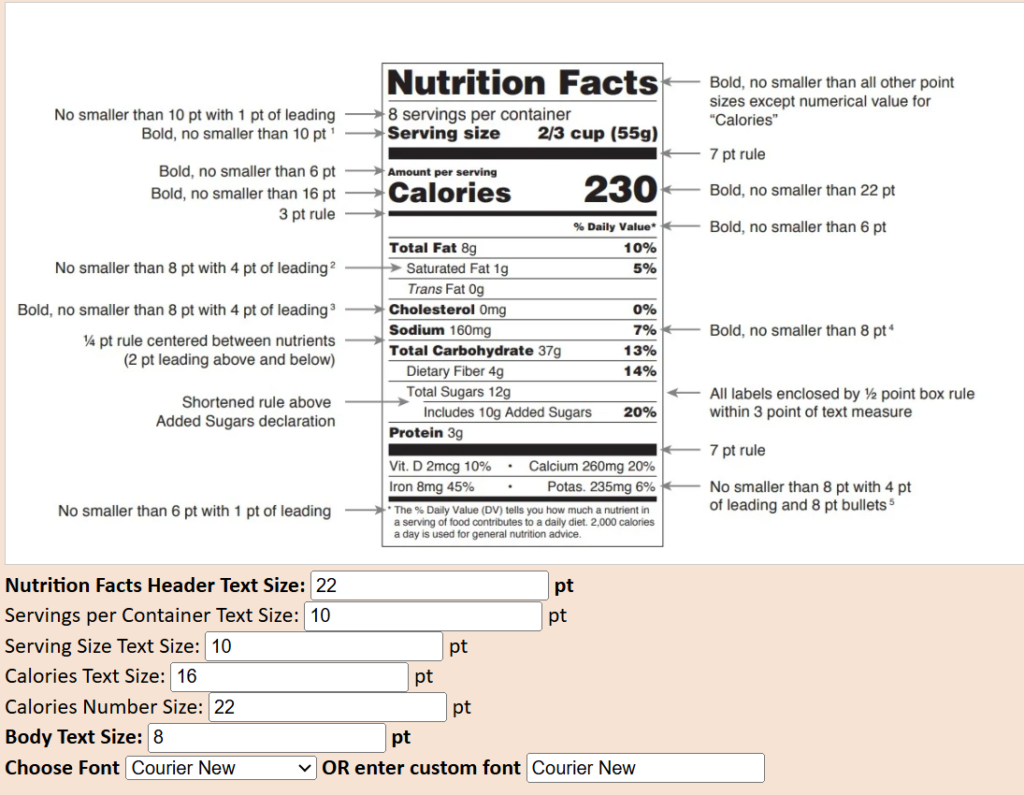
You can now save separate display settings for individual Supplement Facts and Nutrition Facts layouts.
Depending on the layout, you can set the font, header size, column and footnote size, body text size, serving options and other layout-specific settings.
You can choose from default fonts or specify another font installed on your system. FDA example panels, with measurements where available, are displayed alongside the settings for reference.
Why Beta?
Some of these features are still being tested and refined, particularly the newer panel formats and display options.
Making them available as a Beta means you can start using the new features that are useful to you now, while still having the current version available when you need it.
Please let us know what works, what doesn’t, and what could be clearer. Your feedback will help us decide what to improve before the Beta becomes the live version.
The following features are already included in the current live release:
Quick Label Builder
The Quick Label Builder provides a faster way to create a simple Supplement Facts panel without going through the complete panel-building workflow.
Renew your subscription or get an account. The same account is used for both versions. There is no additional charge for using the Beta.
Intelligent Check Reports
Supplement Facts panels are currently supported. Access in the Check column of the Search screen. The new beta Smart Review report improves upon the list of checks and adds Nutrition Facts panels.
Expanded Search
There are several ways to find labels and ingredients.
You can search saved panels by Product Name, Brand, SKU or UPC, as well as by % Daily Value vitamins and minerals, dietary ingredients, proprietary blend ingredients and other ingredients.
The Ingredient Editor can also show you which saved panels contain a particular ingredient.
Search results can be filtered by panel type and sorted by Revision Date, Product Name, Brand, Panel Type, Layout, SKU or UPC. Wildcard searches are supported.
